Skip to content

Wristotle 1.0 launch gallery

Visual tour of the v1.0.0 surface — voice on the watch, phone app on the right, both shipped 2026-06-03.

Companion APK Watch app (.pbw) Install guide


On the watch

The watch surface is intentionally minimal: speak to it, see the reply. Configure which button does what (Dictation / Quick menu / Notes / Tasks) from the companion's Settings → Watch screen.
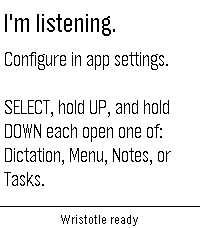
Watch idle screen with hint bar

Idle state — opens with a short hint, reminding you which buttons do what.

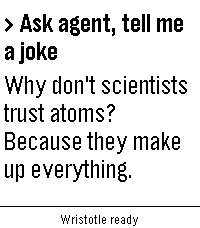
Watch chat surface with Ask-Agent reply

Voice → reply — most recent query stays on the watch as a chat bubble.

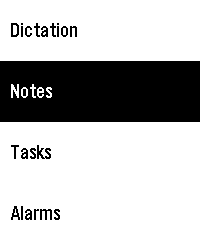
Quick-menu showing Dictation / Notes / Tasks / Alarms

Quick menu — long-press a button to land on one of the heavy actions without speaking.

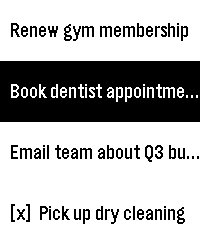
Tasks list view on the watch

Tasks on-wrist — checklist with [x] prefix on completed rows.

On the phone

The companion is where setup lives, where conversation history is reviewable, and where Notes / Tasks have their full editing surface.

First launch

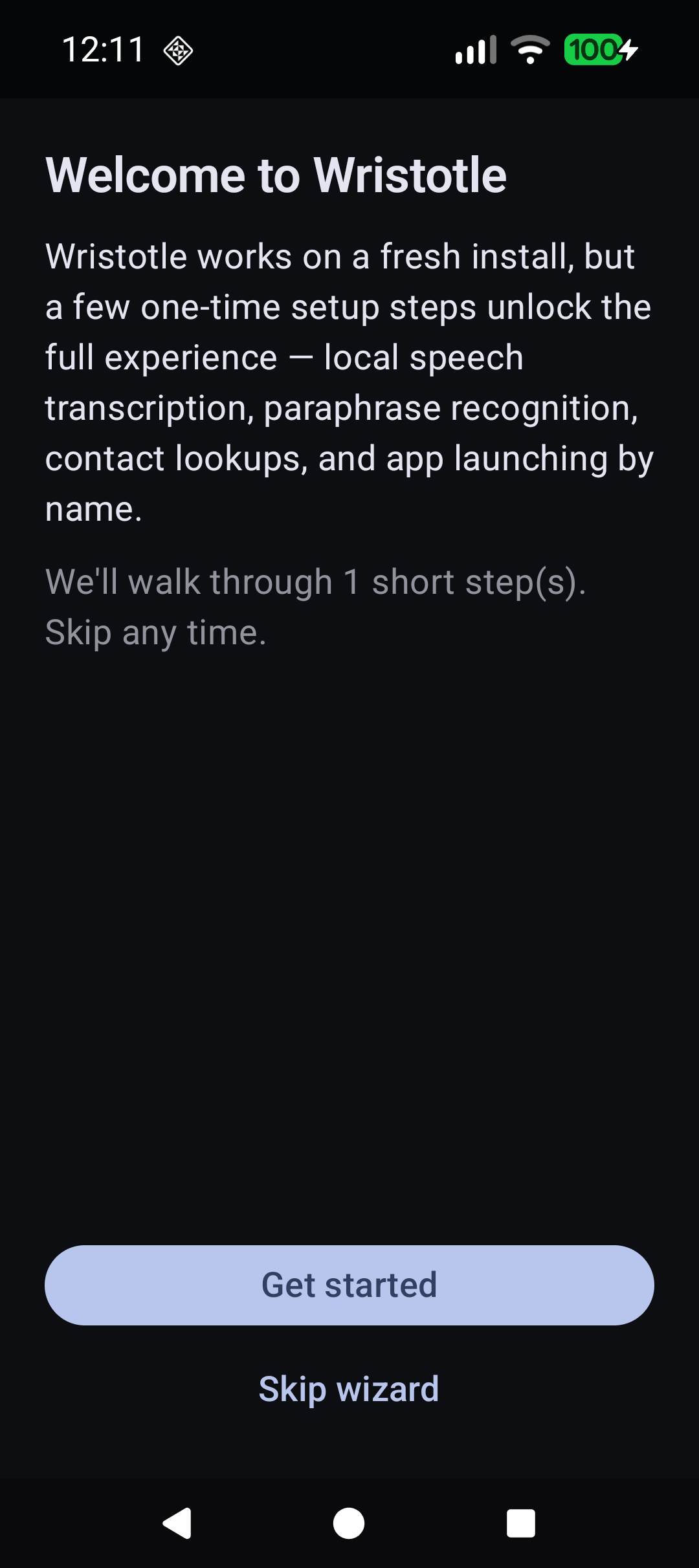
Welcome wizard step 0

Welcome wizard — opens on first launch, walks through any setup steps Wristotle detects as pending.

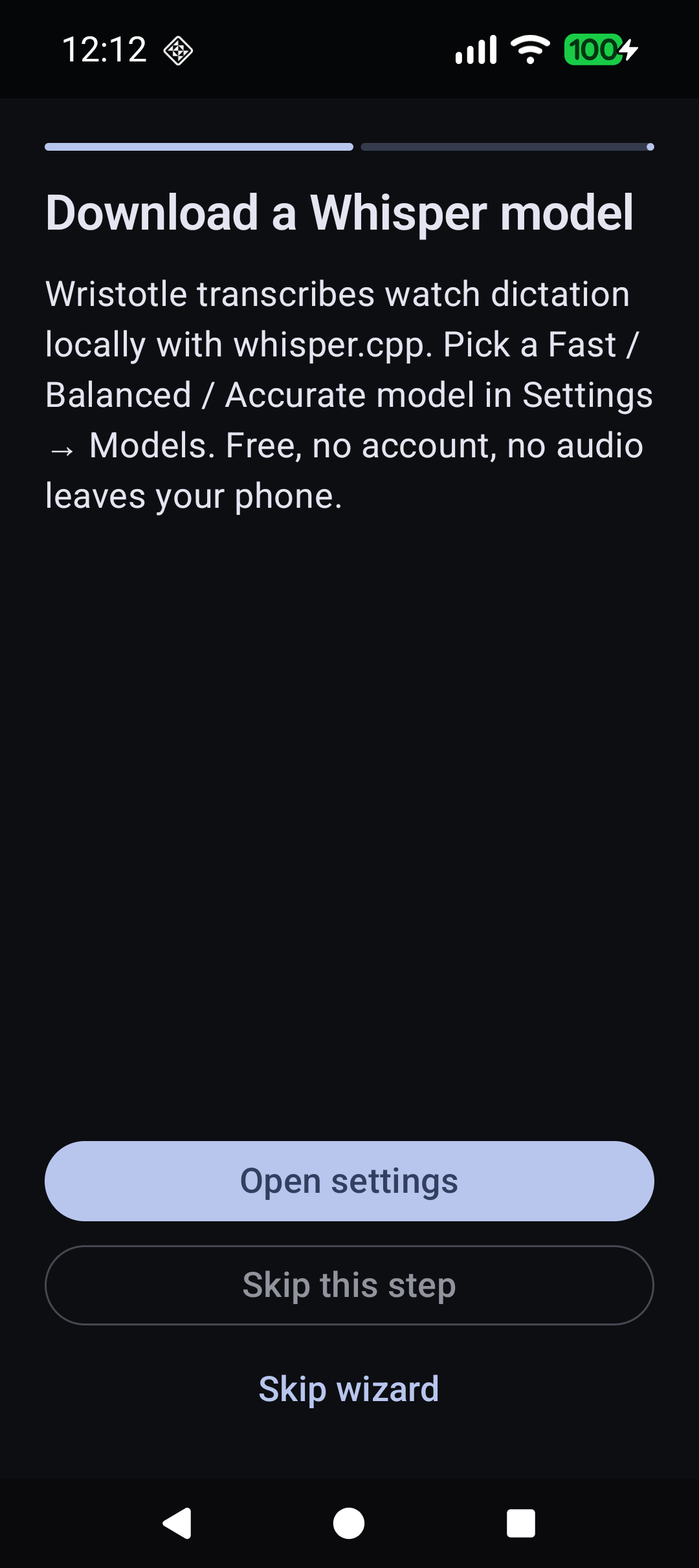
Wizard "Download a Whisper model" step

One step at a time — each pending action gets a card with what it does and why it matters. "No audio leaves your phone."

Daily surfaces

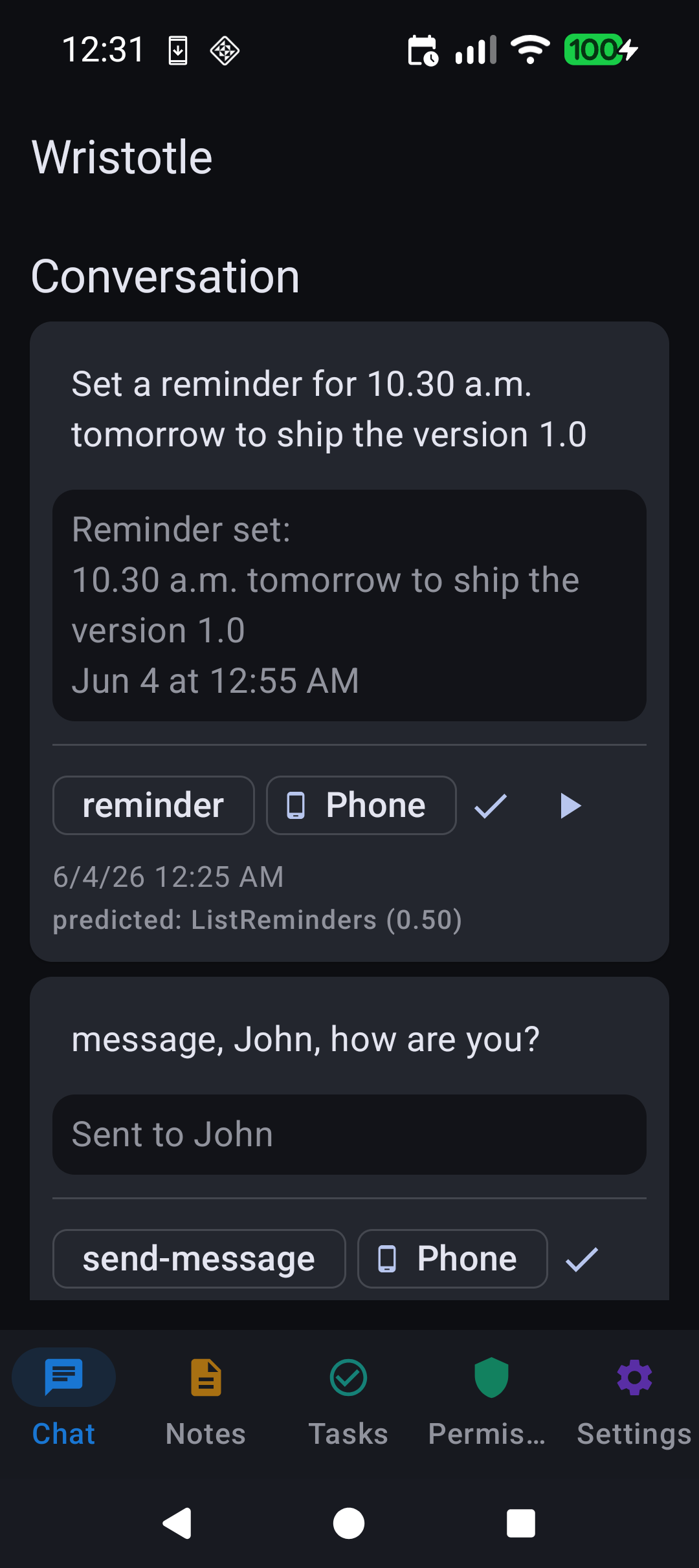
Conversation tab showing reminder + SMS round-trips

Conversation history — every voice query + response, with the predicted intent + confidence. Audio capture optional.

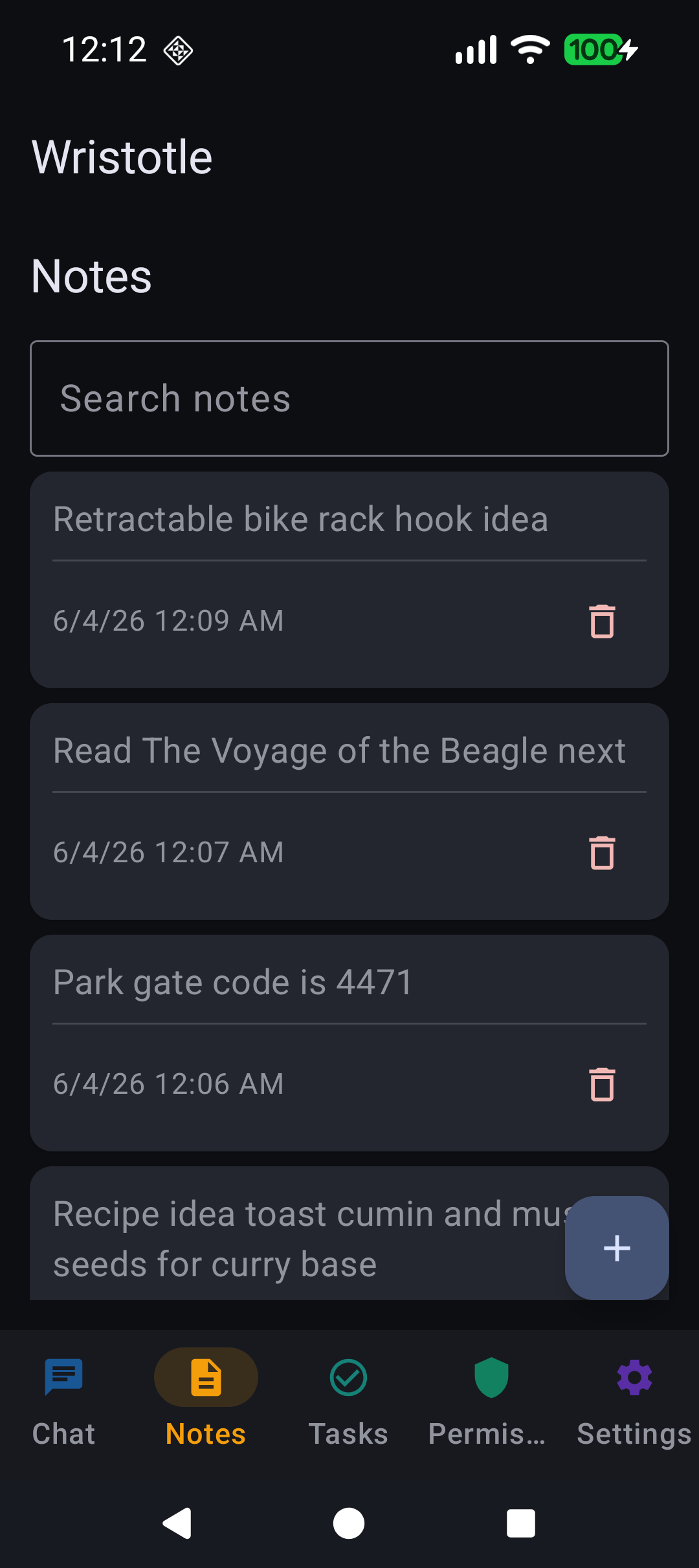
Notes tab with four realistic notes

Notes — created from the watch via dictation, edited / searched here. Optional audio attached.

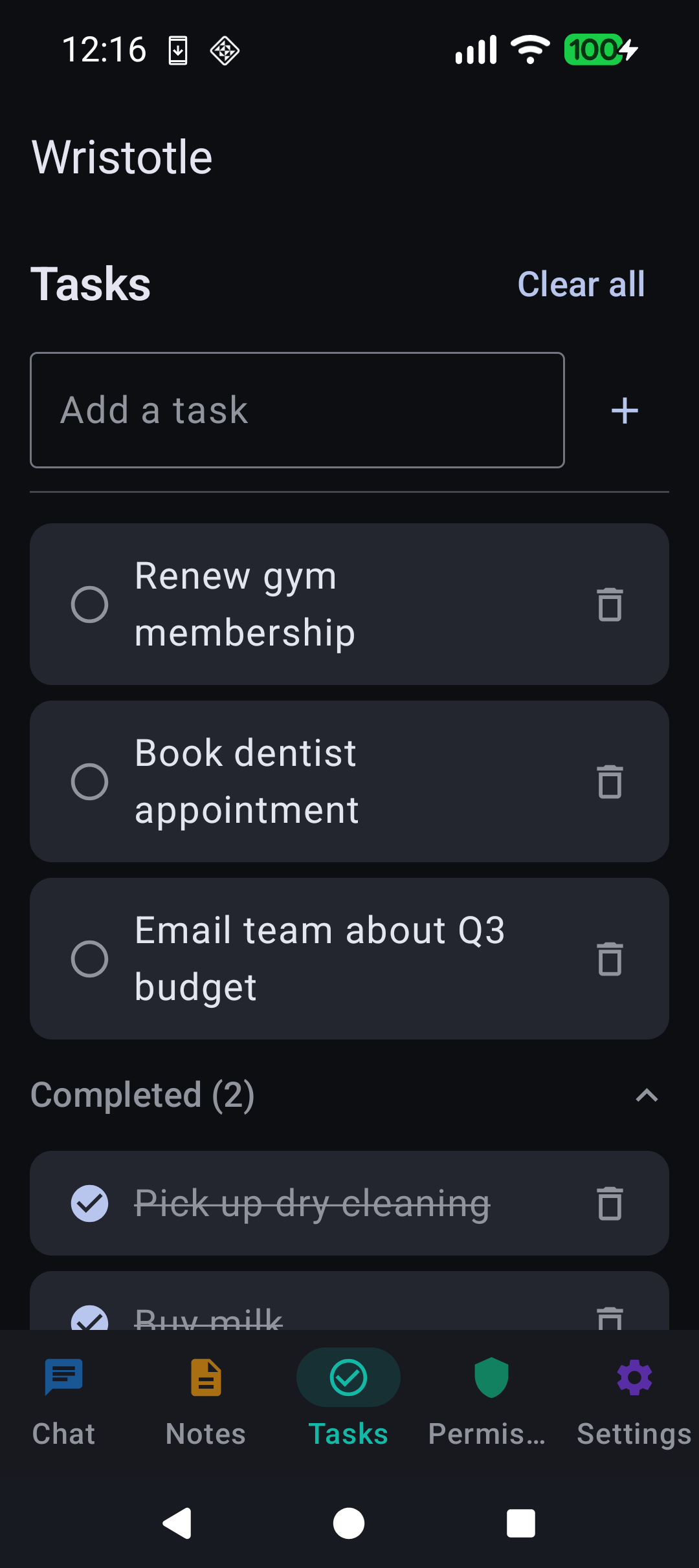
Tasks tab with pending + completed strikethrough

Tasks — voice CRUD from the watch, full surface here. Completed items collapse under their own section.

Permissions tab

Permissions — one screen lists every system grant Wristotle needs, with the reason next to each.

Settings + setup

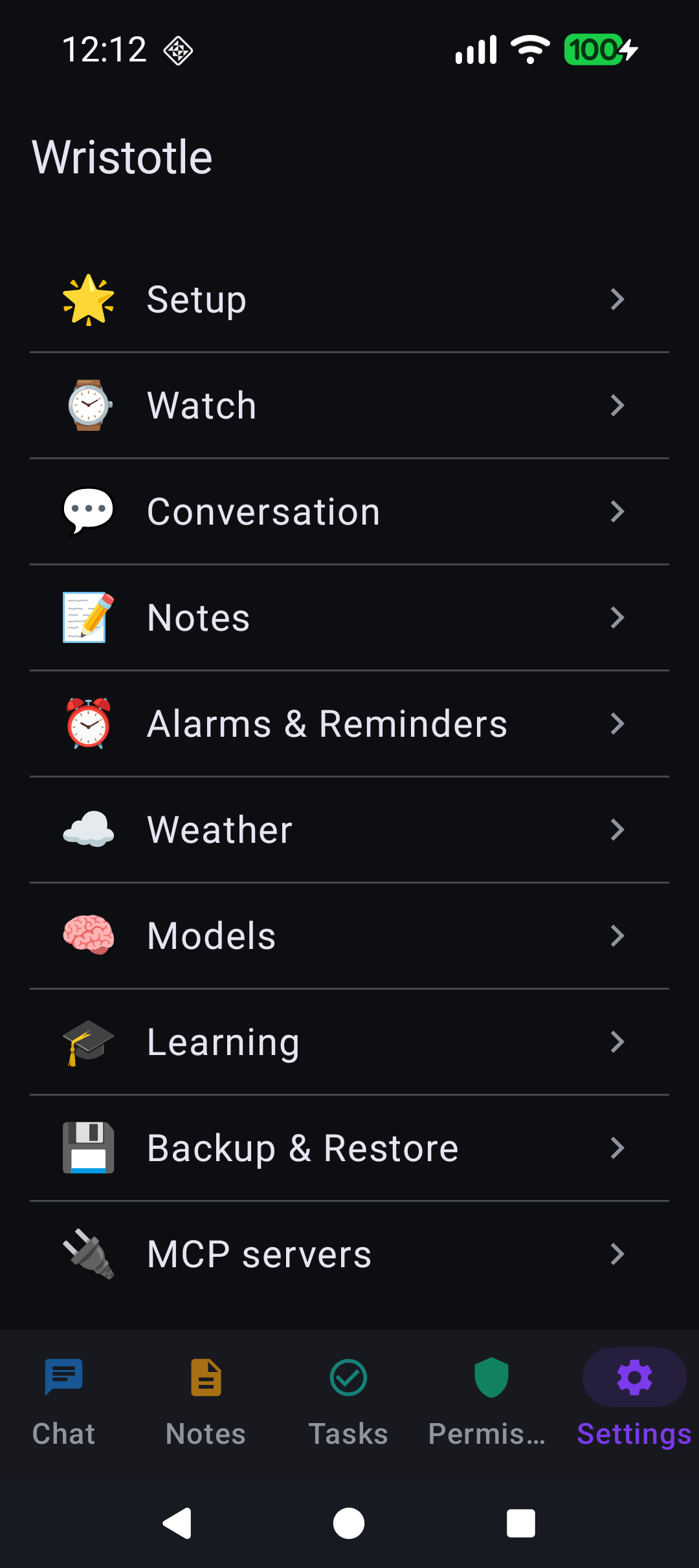
Settings drill-down landing

Settings — 13 categories. 🌟 Setup leads, on purpose.

Setup checklist with two pending essentials

🌟 Setup — the wizard's permanent home. Completed items disappear automatically; "Show welcome again" re-arms the wizard for users who skipped too eagerly.

What's behind the screenshots